

 Sarah
SarahThis article contains affiliate links. That means, if you choose to purchase a product I recommended, I get a small commission for that at no extra cost for you. I legally have to place this disclaimer – but I want you to understand that I will always only recommend products that I am personally convinced about. I promise to you, that I will never promote anything just for the sake of an affiliate income!
They did it. AGAIN.
Once again, Tailwind has stunned me with their new addition to Tailwind for Instagram: Their Hashtag Finder 2.0. is simply the most advanced tool out there to find the perfect hashtags for your post. And I mean not only once – but every day, varied and adapted in size – just as I told you in my article about how to use Hashtags on Instagram the right way!
But let’s go back a step first and lets first focus on some of the problems many of you have when it comes to following all the strategies I outlined in my Instagram Strategy Post (aka the Instagram Bible):
- It’s damn hard to consistently post every day
- Doing this at the exact optimal time takes even more dedication
- Using the right hashtags is a science for itself
Meet Tailwind for Instagram!
Some of you probably now Tailwind already from Pinterest: It is by far the most advanced Pinterest scheduling tool and there is literally no one that can compete with Tailwind.
I myself used Tailwind to grow my Pinterest account from Zero to almost 100k monthly views withing 4 months of being on Pinterest. And Pinterest is by far my most important source for traffic for my blog.
So of course I was curious what Tailwind was doing with Instagram now. And over the last months they put a lot of work into making sure that they also become the No1 scheduling tool for Instagram. Cause for Instagram, there is also other scheduling tools around. However I sincerely believe that Tailwind will outrank them in no time. Because they simply listen to the pain we user have – and they solve it!
So, let me show you what makes Tailwind better than any other scheduling tool!
1) Tailwind for Instagram supports auto-publishing
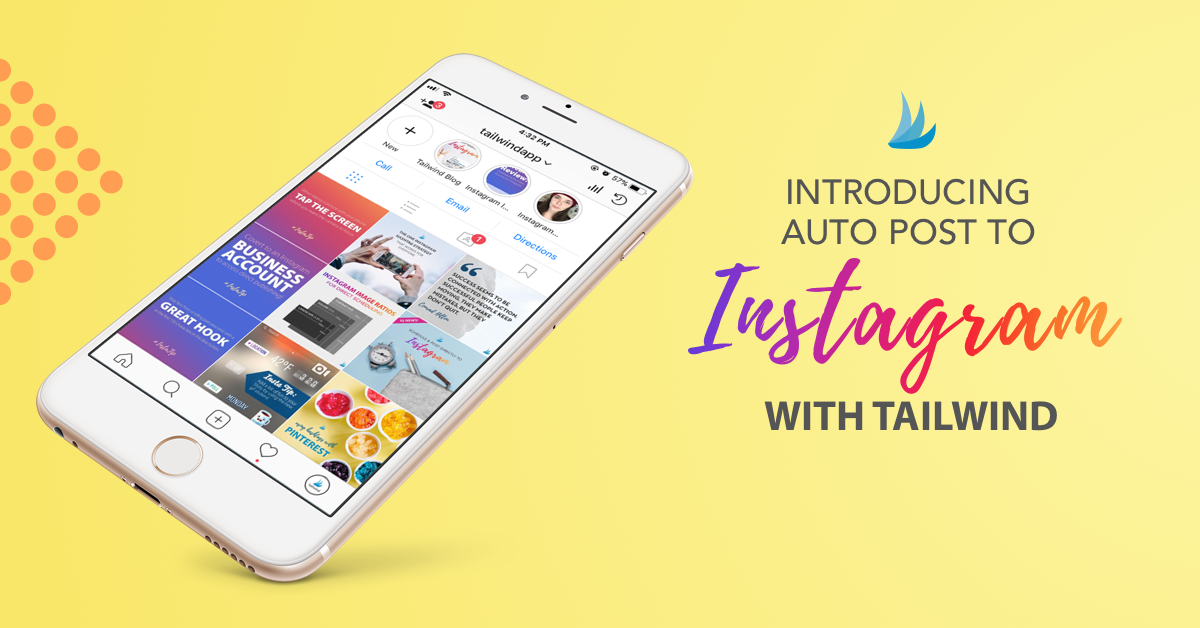
Instagram has opened up its API this year to auto-publish posts. This means, you no longer have to be on your phone at a certain time, simply to post your Instagram picture of the day!
Instead, you can simply prepare your posts with Tailwind, set an exact timing and Tailwind will do the rest for you!
Of course, you don’t HAVE to do auto-publish – you can also set Tailwind to just send you a reminder messages once it is time to post. And then you can post manually from mobile super easily!
2) Tailwind for Instagram helps you find the perfect time for posting
Remember, in my personal success story with Instagram I told you how important it is to post at the right time!
When your post goes live, you want it to go live at a time where your followers are the most active. Why? Because the initial engagement your post gets, determines how many other people Instagram will show this post!
And since you can auto-publish with Tailwind, there is really no reason why a dinner should stop you from posting at the absolute optimal time!
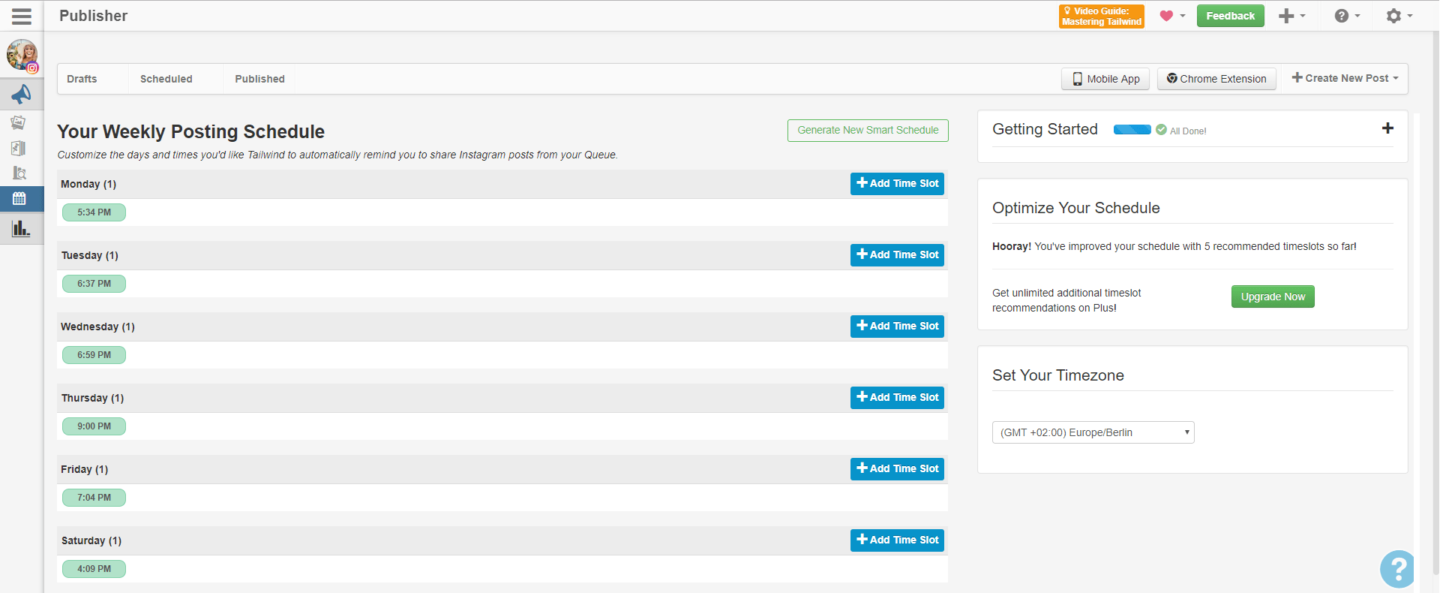
Tailwind has done those analysis for Pinterest for years – and they are also suggesting your perfect posting time for you! And it’s super easy to use – simply let them suggest a time and then decide on how often you want to post per day (I recommend to post once daily)
3) Tailwind for Instagram gives you a beautiful feed preview
Another tip that I have been giving you in both my Instagram bible as well as my personal success story is that you need to make your feed look consistent!
And in order to do that, you need two things:
- Editing skills and/or Lightroom presets
- A program that lets you preview how your pictures look next to each other
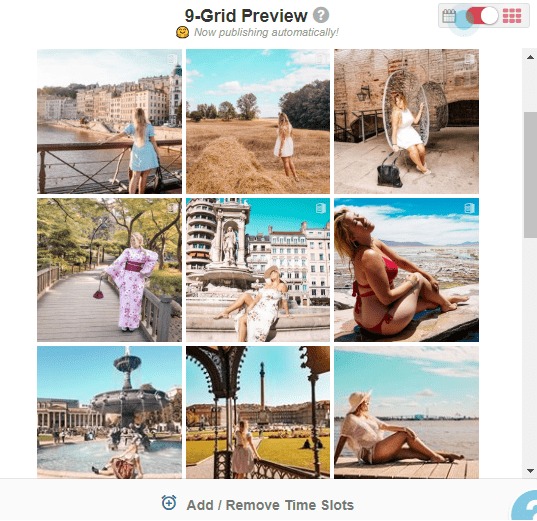
And of course, Tailwind for Instagram hasn’t forgotten about this – and so you can check how your planned feed posts would look like next to each other and to your old posts!
4) Tailwind simply has the best analytics!
I am a total data addict and thus I love the analysis that Tailwind offers for both Instagram as well as Pinterest!
Under “Profile Performance” you can track how your Follower counts has developed as well as see your daily follower gain and engagement rates. It also shows a “Reaction score” and and an “Engagement score” – two metrics calculated by Pinterest. Last but not least, you can see who your top followers are!
And under “Post Inspector”, you can compare and sort all your posts based on Likes and Comments – it also shows when you posted them and if you used on of Instagrams filters. Here, you can also see your peak post times and dates that are used by Tailwind for generating your optimal posting schedule!
5) Tailwind for Instagram has Hashtag Finder 2.0

And this is now their final new addition that entirely convinces me, that they will roll up the market of Instagram schedulers!
While you can of course also save lists of hashtags with Tailwind and easily add them to your post – you can also let Tailwind find you new hashtags every day!
And it’s super simple: Basically, while you are typing, Tailwind starts suggesting hashtags based on the text you type. And it shows you with a simple color code from orange to dark green if this is a hashtag much much competition or if it’s probably a great choice!
When you hover over the hashtag, you can also see the exact size of the hashtag. You can always dismiss a hashtag if it is not a good match or let Tailwind shuffle to show you more options. It also shows you how many hashtags you have already used – so no counting manually anymore!
But since it is difficult to understand how it works without seeing it – I simply recorded my screen while using it!
And I got some really good news for you - you can try Tailwind for Instagram entirely for free!
Tailwind is convinced, that their product will convince you in the end to stay with them – and that’s why they offer you a generous 30 free post to schedule with their awesome tool.
So there is absolutely no risk attached, as you don’t enter in a contract already. Just sign up, try it and only if you love their service after that: buy a yearly membership.
It’s what I did and what convinced me – when I tried Tailwind for Pinterest, I didn’t even wait until the end of the trial. They give you 100 free pins to scheduled – and after 60 or so I was completely addicted to their service.
Oh, and of course you can try Tailwind for Instagram AND Tailwind for Pinterest both for free – so 30 posts and 100 pins.
To take advantage of this offer, simply click on the button below!
Here's some other handpicked posts you might be interested in!
- How I got 15k Instagram followers within 6 months in 2018
- The Instagram Bible – How to be successful on Instagram
- Hashtags on Instagram 101 – How to use them properly
- Instagram Story Templates – Entertain your IG Followers
- Free Lightroom Presets for Instagram – get my presets!
- How To Start A Blog In 10 Simple Steps – Blogging For Beginners
Pin this article for later!






[…] you want to know more, I wrote a full article about why I think that Tailwind for Instagram is the best scheduler out there! The post even contains a video of Hashtag Finder 2.0. in action 🙂 Aaaaand there is a […]